
External AI assistants can read your model and propose changes. DDDesigner stays the source of truth: every mutation is validated, and persistence happens only after an explicit safe cycle.
Create an agent key
- Open the project.
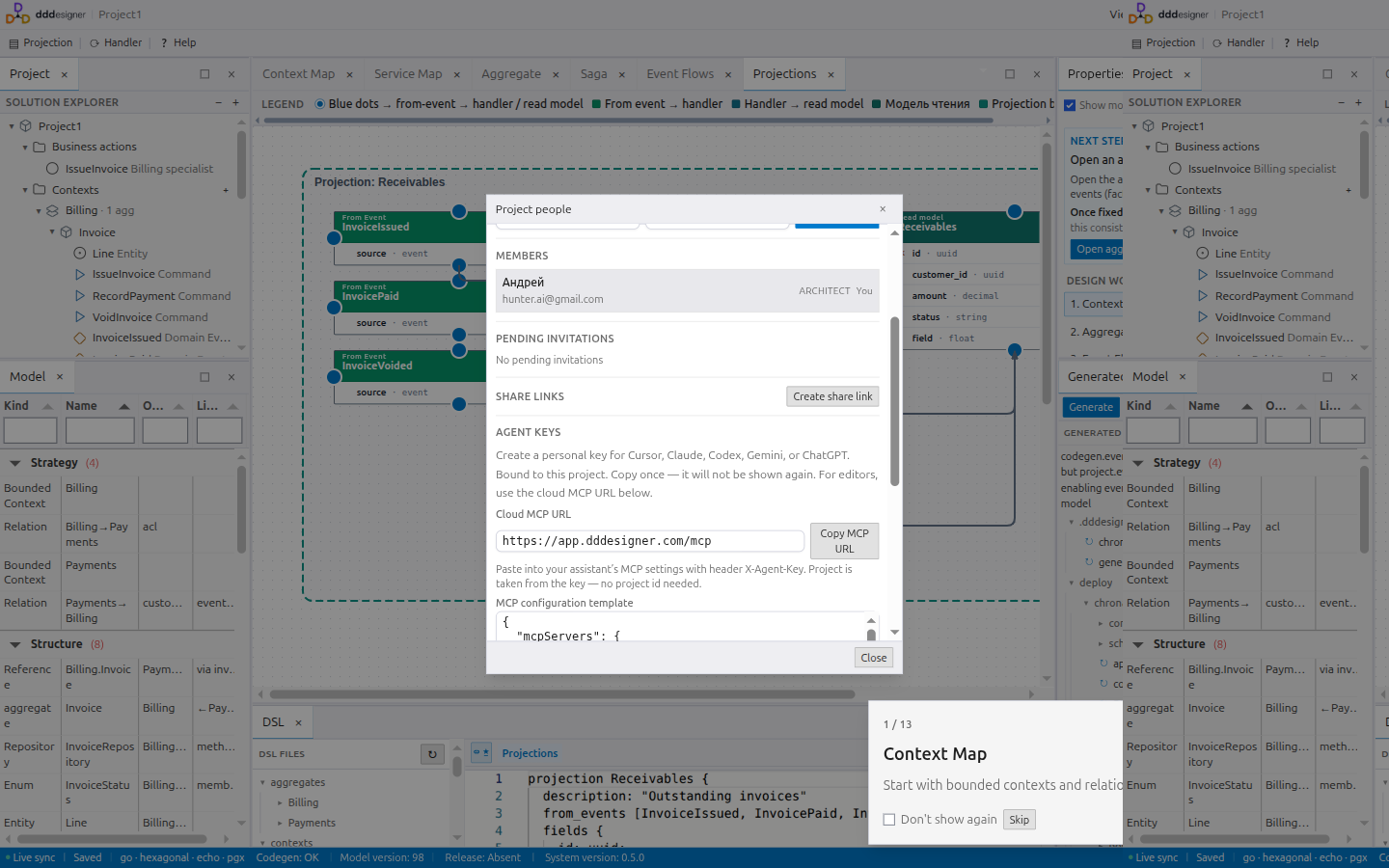
- Go to Tools → People.
- Open Agent keys.
- Name the key and choose read only or read and write.
- Create the key and copy the secret immediately — it is shown once.
Never commit the key, paste it into public chats, or put it in screenshots you publish. If it may have leaked, Revoke and create a new key.
The key is bound to one project and acts as the user who created it. Cloud MCP does not need a separate project id.
Safe change cycle
Use this sequence with every assistant:
- Load summary and diagnostics (
whoami/get_summary,get_diagnostics). - Discuss the change; load
ops_catalogbefore inventing operation names. - Preview without saving (
preview_ops). - Review the preview result.
- Apply (
apply_ops) only after your explicit approval and a successful preview. - Run diagnostics again.
Starter instruction for the assistant:
Start with whoami or get_summary and get_diagnostics. Do not invent operation names; load ops_catalog first. Preview every change without saving. Apply only after my explicit approval and a successful preview. For generated code use codegen_preview, list_codegen_files, and get_codegen_file — do not dump the whole tree.
Cloud MCP
Endpoint: https://app.dddesigner.com/mcp
Header: X-Agent-Key: <your secret>
Works with Cursor, Claude, Codex, Gemini, and similar MCP clients. The People dialog includes a copyable configuration template (placeholder secret only).
Codegen through the assistant
- Fix model errors (
get_diagnostics). codegen_preview— paths and diagnostics.list_codegen_files/get_codegen_filefor selected paths only.
MCP does not push to Git or download a ZIP — use the Generated Code panel in the workspace for that. See Code generation.
ChatGPT and CLI
ChatGPT Actions and the dddesigner CLI need the app base URL and project UUID from the browser address or Properties. Prefer cloud MCP when your tool supports it; the People dialog includes configuration templates.